

WhatsApp Notifications for Any Application
If you think WhatsApp alerts are just an alarm feature, think again. It’s actually a general-purpose notification and control system that sits behind every Fine Automation device — so the same setup that pings you when an alarm triggers can also tell you when a cold room’s temperature drifts, when a dam is running low, or when the power’s gone out at a remote site.
One system, dozens of applications, all landing in a WhatsApp chat you already check every day.
For installers and security shops kitting out farms, factories and business premises, that matters.
You’re not selling clients a single-purpose alarm add-on — you’re selling them one notification channel that can grow with whatever they add to their site next.
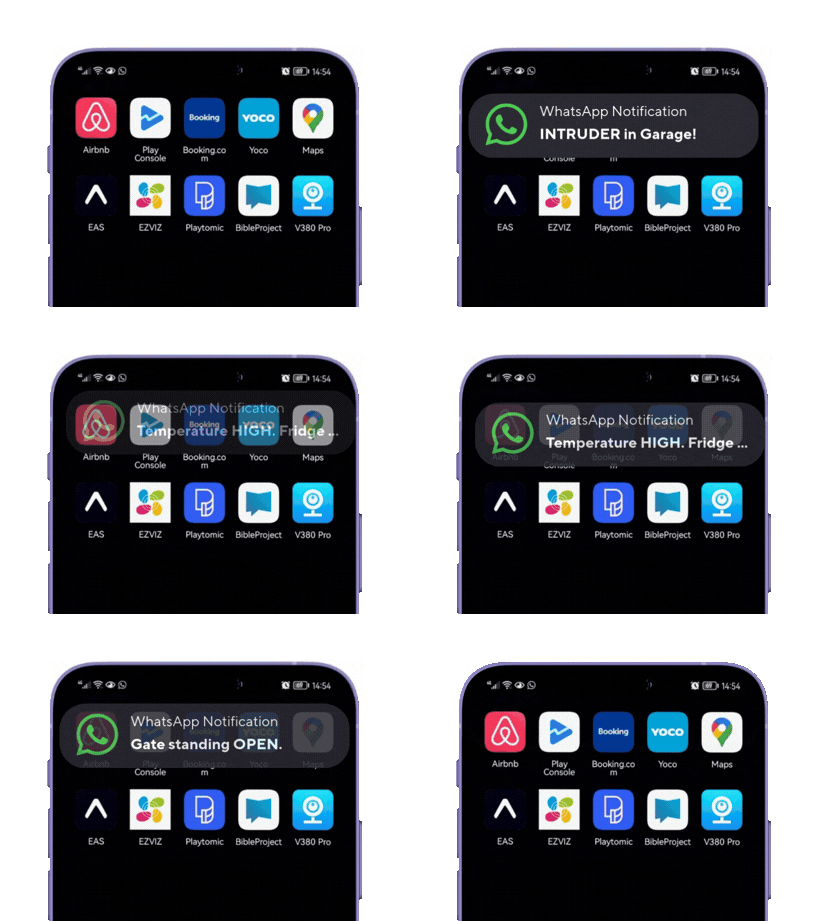
It’s not just an alarm feature
Fine Automation’s WhatsApp service was built into our wireless alarm systems first, which is why most people know it from there.
But the WhatsApp engine itself lives at the device level — any Fine Automation controller with WhatsApp support can use it, regardless of what it’s monitoring or controlling.
That includes our 6-input, 2-output general monitoring units, our water level and pump automation controllers, and the GSM/IoT controllers used across farming, industrial and security installations.
Here’s a snapshot of what’s actually running on this system in the field right now:
Security alarms
What it monitors: Break-ins, panic buttons, tamper triggers. Alert example: “Alarm triggered — Zone 2, Front Gate”
Temperature & humidity
What it monitors: Cold rooms, fridges, greenhouses, storage areas. Alert example: “Temperature alert — Cold Room 1 above threshold”
Water level
What it monitors: Dams, tanks, boreholes, pump houses. Alert example: “Dam level low — pump started automatically”
Gate & access control
What it monitors: Farm gates, boom gates, roller shutters. Alert example: “Main Gate opened — 14:32”
Poultry farming (SKOV integration)
What it monitors: SKOV climate-control alarms on chicken houses. Alert example: “SKOV alarm — House 3, check ventilation”
Power & solar monitoring
What it monitors: Mains failure, battery level, solar system faults. Alert example: “Main power failure — running on battery backup”
General & custom monitoring
What it monitors: Smoke, machine run-time, service intervals, and other custom inputs. Alert example: “Service interval reached — Pump 2”
If a device has an input for it, it can very likely go out over the same WhatsApp system your alarm alerts already use.
Why installers should care
For a security shop or installer, this changes the pitch. Instead of quoting a client for “an alarm with WhatsApp notifications,” you’re quoting for a notification and control system that happens to start with the alarm — and can be extended to the borehole pump, the cold room, the chicken house, or the solar system on the same property later, using the same WhatsApp chat the client already has open.
That’s an easier upsell, and it’s less for you to explain twice.
It’s also two-way. WhatsApp isn’t just receiving alerts — you (or your client) can send commands back to the device through the same chat.
That means remote resets, status checks, or triggering an output, all without opening an app or logging into a portal.
And because it runs over the internet rather than a dedicated app or platform, it works from anywhere: a client on holiday overseas gets the same alert, the same moment, as if they were standing next to the gate — as long as they’ve got a data or Wi-Fi connection.
Setup is easy as pie: how to get WhatsApp alerts running
Fine Automation designed this to take two messages on the customer’s side, not two hours. Here’s the full flow from first contact to live alerts:
- Get the FineAutoBot WhatsApp number from Fine Automation or your installer.
- Save the number to your phone contacts — something simple like “Farm Alarm” or “Cold Room Alert” works well.
- Send FineAutoBot any message to open the chat. This is message one.
- Reply with the consent message the bot prompts you for (to allow it to send you alerts). This is message two — and that’s the whole two-message process done.
- FineAutoBot sends back a unique WhatsApp KEY. This key is tied to you and keeps your alerts private and secure.
- Forward your number and KEY to your installer, who programs both into the device.
- You start receiving alerts immediately once the device is programmed — no app download, no account setup.
- Adding more devices? Use the same KEY again. Every device programmed with that KEY will land its alerts in the same WhatsApp chat, so you’re not juggling five different numbers for five different systems.
That’s it. No portal login, no app store download, nothing to configure beyond the number and the key.
A few things worth knowing
It’s private by design. Each key is unique to the person receiving alerts, so only the people who’ve gone through the two-message process get messages from that device.
One chat, multiple devices. Reusing a key across an alarm, a temperature sensor, and a water level controller means one WhatsApp thread instead of a scattered mess of notifications from different numbers.
It’s not a one-way broadcast. Because commands can go back to the device, WhatsApp becomes a lightweight remote control as well as an alert feed — useful for installers doing remote diagnostics or clients who want to check status without a site visit.
FAQ
Can I use this for something other than my alarm? Yes. WhatsApp alerts work on any supported Fine Automation device, not just alarms — that includes temperature and humidity monitoring, water level and pump systems, gate and access control, SKOV alarms on chicken farms, and power/solar monitoring. The alarm just happens to be the most well-known use case.
How many people can receive alerts? Up to six people can receive alerts from a single device, each with their own key, or by sharing one key so everyone’s alerts land in a shared chat.
Can I send commands back to the device, not just receive alerts? Yes — this is two-way. You can send messages through WhatsApp to control the device, not only receive notifications from it. Ask your installer which commands are supported for your specific setup.
How do I set up my WhatsApp message alerts? Get the FineAutoBot number from Fine Automation or your installer, message it, reply with the consent message it sends back, and forward the key you receive to your installer to program into your device. See the full step-by-step above.
Does it still work if I’m not on the farm or in South Africa? Yes. As long as you have an internet connection — data or Wi-Fi — you’ll receive alerts and can send commands from anywhere in the world, at any time.
Talk to Fine Automation
Whether you’re an installer adding WhatsApp alerts to your next alarm job, or a security shop looking to offer clients monitoring across alarms, temperature, water and power from one system, Fine Automation can set you up. Become a verified installer and get access to our products, pricing and support — we’ll be in touch to get you going.
Related reading: